How it works

Set up once on a Sunday. Use it in ninety seconds a job.

The app is built for a phone held in one hand on a site with no signal — not for a desk with a good connection.

1

Set up the shop

Shop name, address, phone and one photo or logo. Then your rates: glass and labour per square foot, D-48 per foot, U SEC per bar, and each hardware item.

2

Enter a front

Height and width in inches, how many doors and where they sit. Transport, silicon and any discount go in the same screen. The total updates as you type.

3

Check the preview

Glass pieces with cut sizes, D-48 footage, U SEC bars and wastage, hardware counts and the full price breakdown — before anything is committed.

4

Finalise

The quotation gets its permanent number and freezes: the inputs, the rates, the date and every figure. It cannot drift afterwards.

5

Share what each person needs

Customer bill to WhatsApp. Cutting list to the workshop. Material list to the supplier, glass sheet to the glass provider — neither showing your prices.

6

Sync when you can

Back in range, your account takes a copy. A new phone or a cleared browser can pull your history straight back.
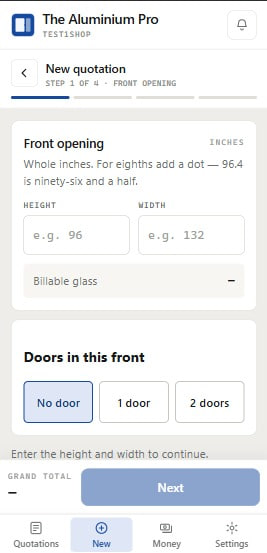
The Aluminium Pro on a phone: the New Quotation screen, step one of four

What it looks like

The screen you'll actually use.

One step at a time, the grand total pinned under your thumb, and nothing on screen that does not belong to the job in front of you. Four steps for a plain front, then the bill is frozen — and this is what the customer receives.
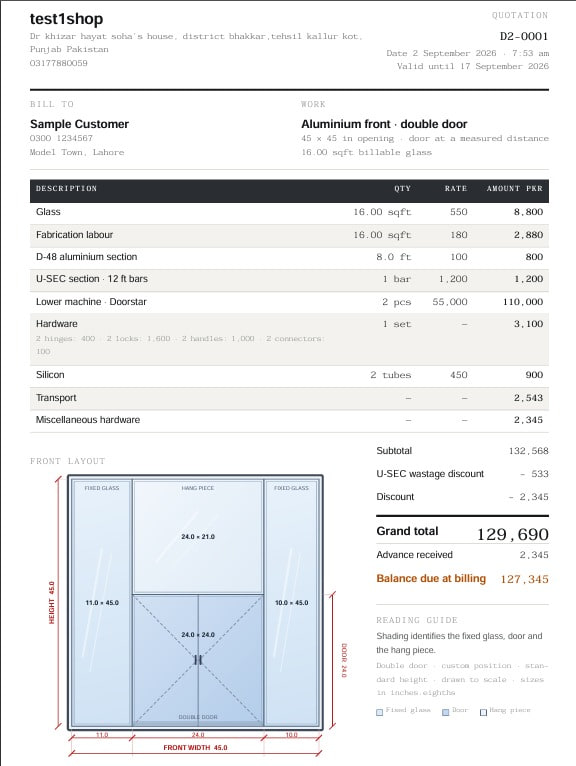
A customer bill produced by The Aluminium Pro: letterhead, priced table, front layout drawing and grand total

On site

Nothing waits for a connection.

Calculation and PDF generation both happen on the device. That is not a fallback mode — it is how the app always works, so behaviour on a rooftop in Gujranwala is identical to behaviour in the shop.
  • Install it like an app. Add it to your home screen and it opens full-screen, offline, from the icon.
  • Your quotations are yours. They are stored on the device first; the account copy is a backup, not a gate.
  • Share works offline too. The PDF is made on the phone, so WhatsApp gets a real file either way.

Start free trial

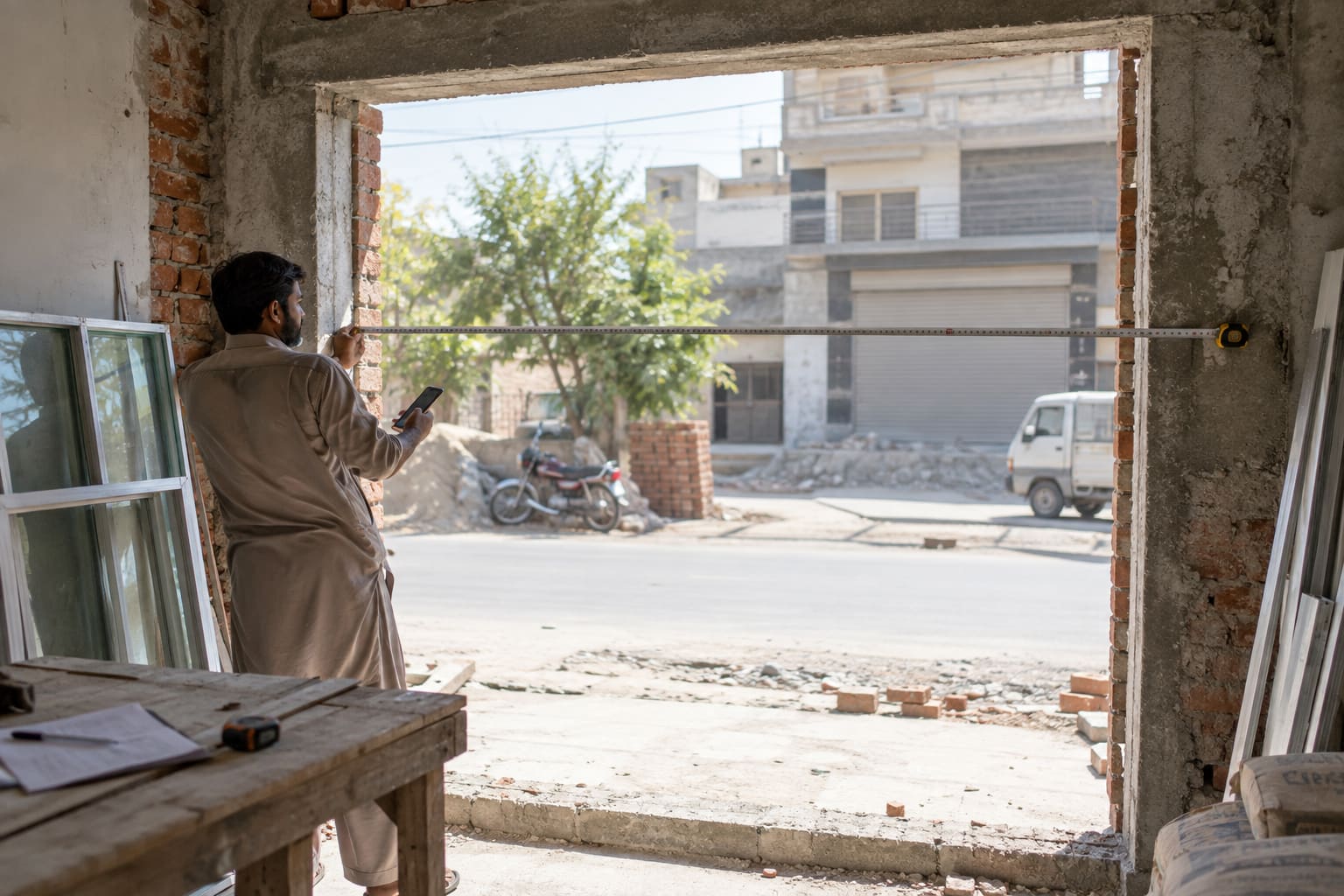
A fabricator measuring a shop-front opening on site with a steel tape

Video guides

Watch it done once, then do it yourself.

Short videos in plain language — setting up your shop, entering your rates, and getting a bill onto WhatsApp. They are being filmed now; this page lists what is coming.

  • Set up your shop in five minutes Shop name, owner, phone and logo — everything that prints at the top of your bills. Do this once and every document afterwards carries it. Coming soon
  • Entering your rates Glass and labour per square foot, D-48 per foot, U SEC per bar, and each hardware item. Your prices, not ours — the app never assumes a rate you did not type. Coming soon
  • Your first quotation, start to finish A 12mm front measured on site: height and width, doors and their positions, transport and discount — then the total, live, as you type. Coming soon
  • The four documents and who gets which Customer bill, cutting list, material list and glass sheet. Which one to send the workshop, which to send the supplier, and why two of them show no prices at all. Coming soon
  • Sending a bill on WhatsApp Making the PDF on the phone and sharing it straight to a customer — including how it works with no signal on site. Coming soon
  • Working offline, and syncing later What happens to a quotation made on a rooftop with no signal, and what the account copy is actually for when you get back in range. Coming soon
  • Packages, payment and renewal Choosing a package, sending the payment and uploading the screenshot, and how a referral or promo code comes off the amount. Coming soon

The same list is inside the app, under Settings → Video Guides.

WhatsApp