Features

Window, door and shop front quotations you can stand behind.

The Aluminium Pro prices the aluminium and glass work a Pakistani shop quotes: sliding, corner and openable windows, fixed glass, arches, doors, slide doors, kitchen cabinets, panels and 12 mm glass shop fronts. It covers the part that costs you time — the price, the material and cutting lists, and the right paper for each person.

Shop fronts

12 mm glass shop fronts.

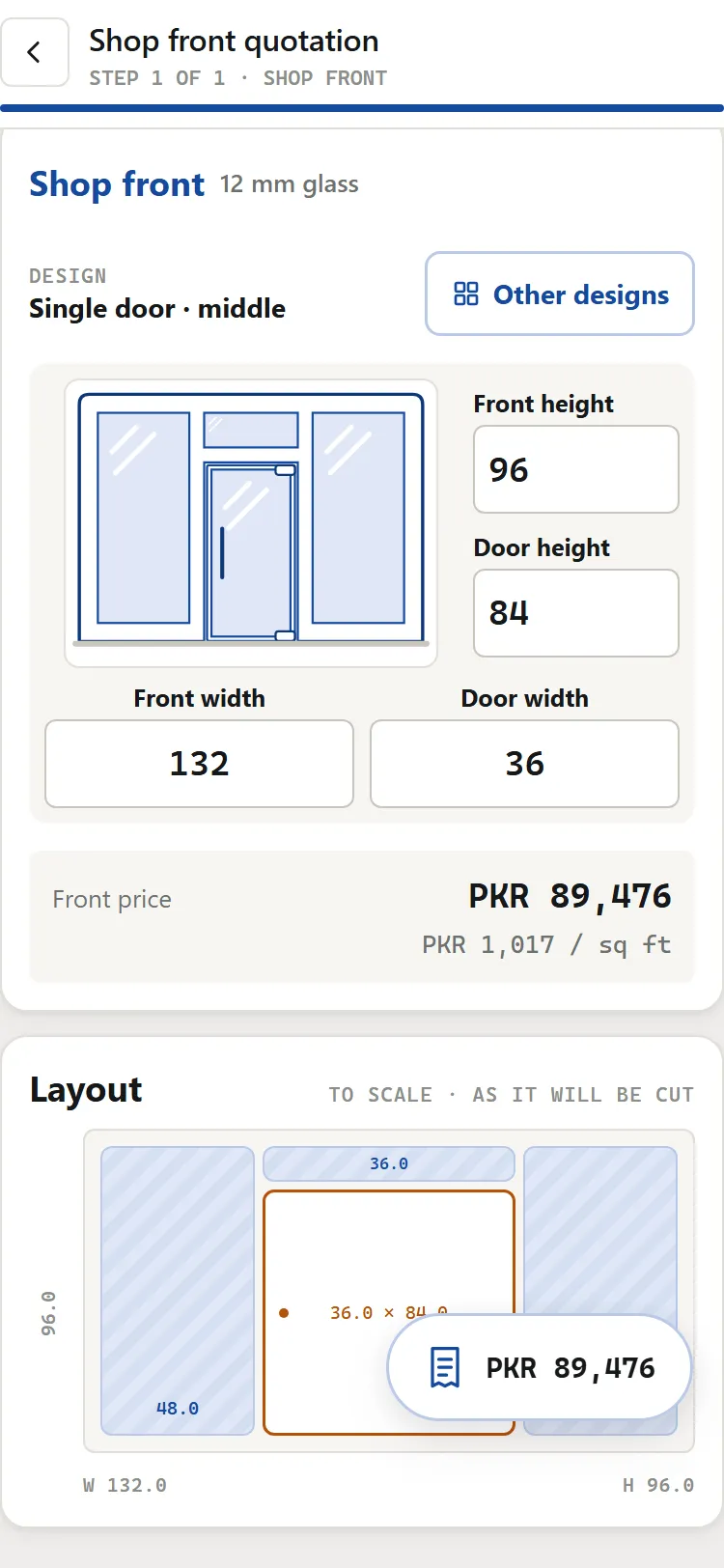
Tap the front's design, type its width and height and the door's, and the quotation is priced.

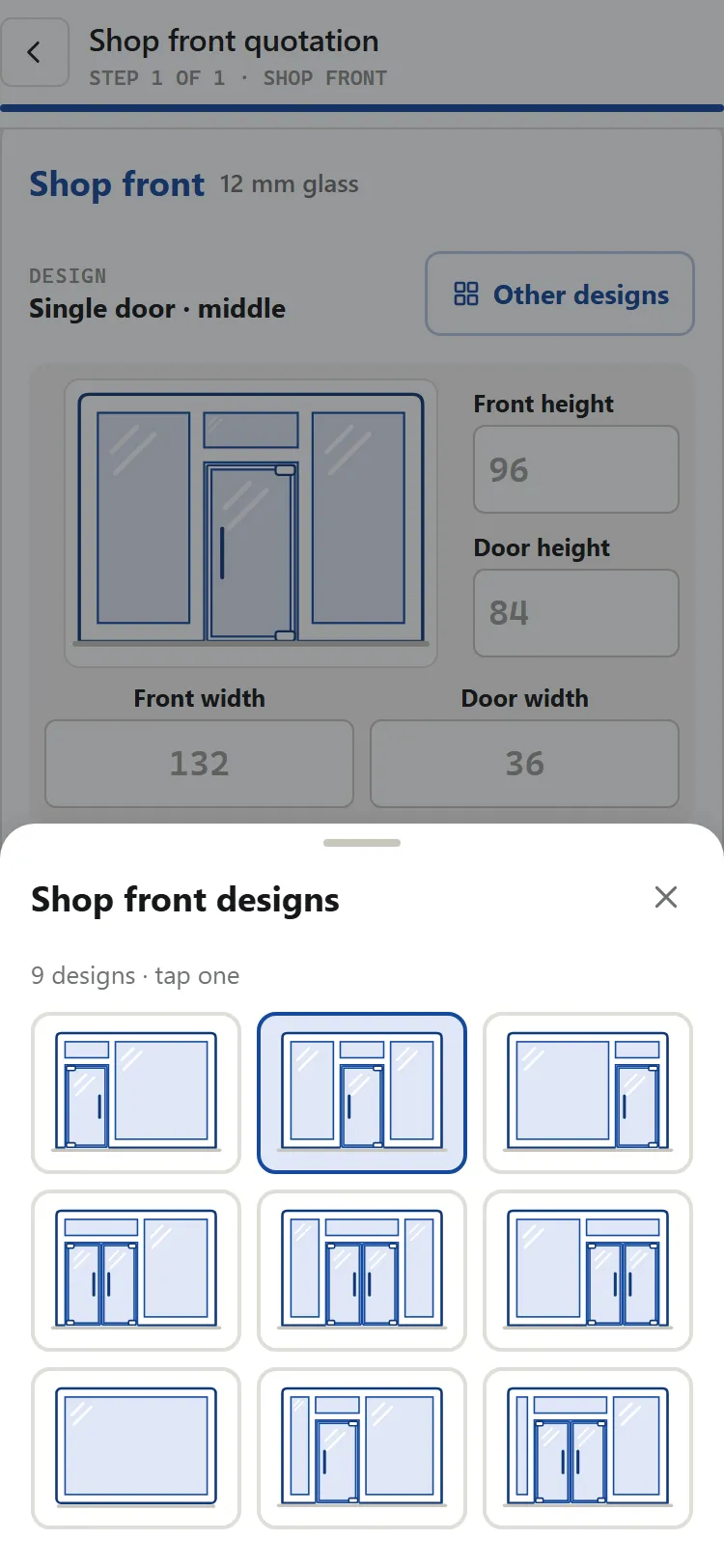
  • 9 designs in pictures. A single or double door on the left, in the middle or on the right, no door, or a door set at a distance from a side.
  • Worked out, not typed. The glass, the aluminium and the hardware for each door come out of the sizes.
  • Four PDFs. Customer bill, workshop cutting list, supplier material list and glass provider sheet. Only the customer bill shows money.
  • Aluminium from the rate list. Give a discount on the aluminium, and choose whether the bill shows it.
  • Labour your way. One amount for the whole job, plus transport, silicone and extras with your own names.
  • A drawing of the front to scale, with its sizes marked, on the documents.
A 12 mm glass shop front quotation in the app: single door in the middle, front and door sizes, the price per sq ft and the to-scale layout
The front, its sizes and price
The shop front design gallery in the app: nine 12 mm glass fronts with single, double or no doors
9 shop front designs

Windows & more

Windows, doors, kitchens and more — on one quotation.

Choose the aluminium and the glass once for the whole job. Then add what the customer wants, one card at a time. Each card shows its own price and its price per sq ft, says how many, and can take its own glass and aluminium.

Sliding windows — 2, 3 and 4 palla

  • 15 window designs. 2, 3 or 4 palla, with bars across and up inside each palla.
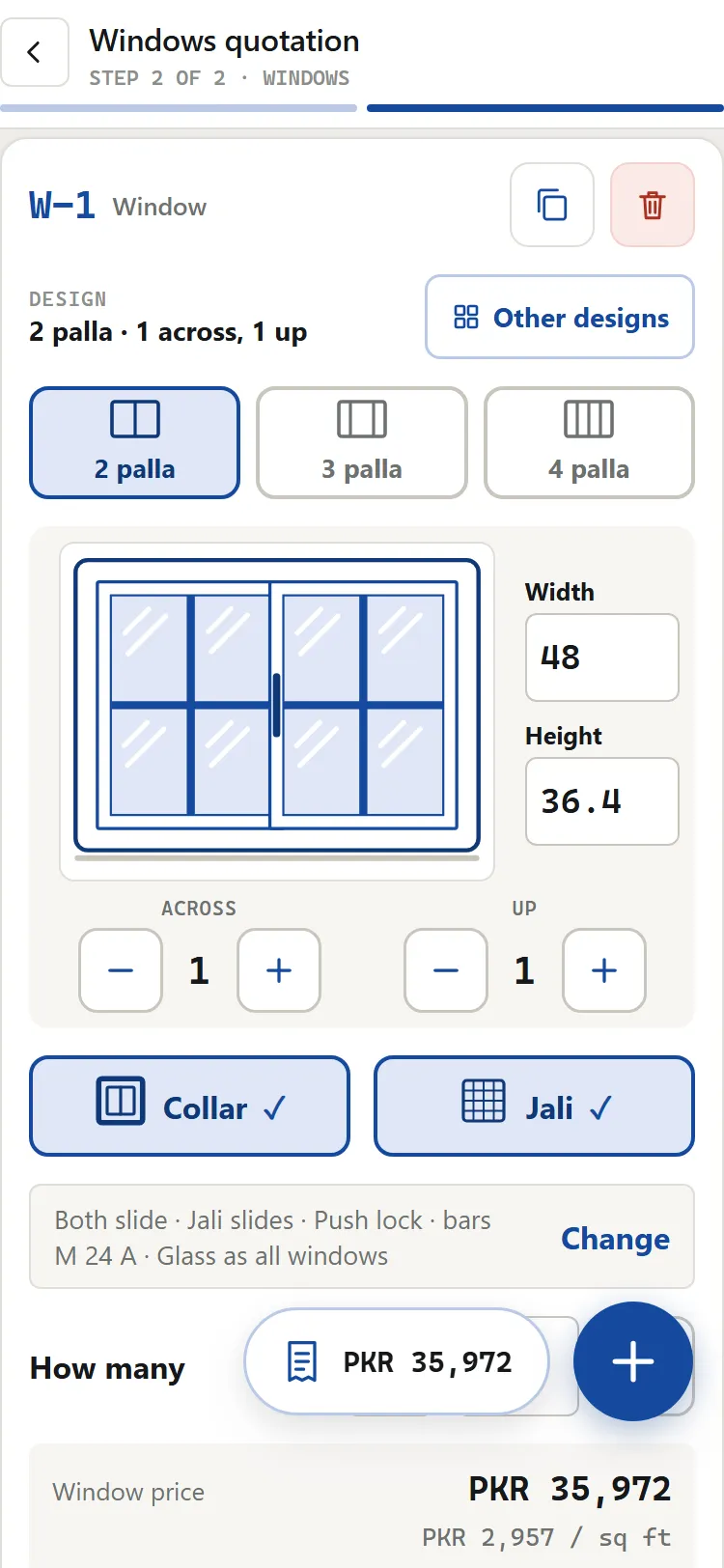
  • Each window on its own card. Width and height in inches, how many, collar or no collar, jali or no jali, push or hook lock.
  • Everything it needs, priced. The aluminium, the glass and the hardware — angles, screws, wheels, locks, rubber, brush and jali net — on the bill.
  • Copy a window with its sizes, or add a fresh one. One quotation holds up to 1,000 windows and items.
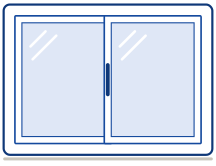
Drawing of a 2 palla aluminium sliding window
2 palla
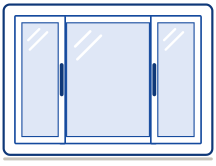
Drawing of a 3 palla sliding window: a fixed middle panel between two sliding ones
3 palla
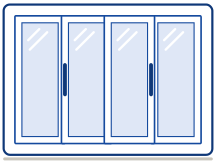
Drawing of a 4 palla sliding window
4 palla
A 2 palla sliding window priced in the app: its drawing with bars across and up, width and height, collar and jali, and the window price in PKR
A window card: its drawing, sizes and price
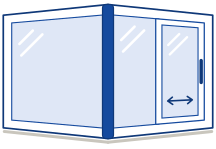
Drawing of a corner window: a fixed side turning the corner at a full-height post, and a side with a fixed half and a sliding panel
One corner: fixed on the left, a slider on the right

Corner windows — one corner or two

  • Two sides or three. A single corner takes the height and the left and right widths; a double corner adds the middle.
  • Fixed or sliding, side by side. Each side is fixed glass or takes a sliding panel — any mix. The gallery shows every single and double corner.
  • Push or hook lock on a corner window that slides, as on a sliding window.
  • Dividers across and up, as on a window.
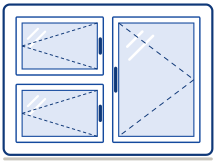
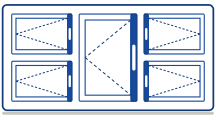
Drawing of an openable window: two panels in the left column and one tall panel on the right, each with its opening and handle
Two columns: two panels, then one tall panel

Openable windows — columns and panels

  • Pick a design, or build your own. Add columns, then say how many panels each column holds, top to bottom — or draw the panels on a grid.
  • Each panel its own way. Tap a panel to set the way it opens and its handle side.
  • Frame and panels from the rate list, priced like everything else on the quotation.

Beside the windows

Fixed glass, arches, doors, slide doors, kitchens and panels.

Add them to a window quotation, or price them on their own. Pick a design from the gallery, and its picture lights up the part you are entering.

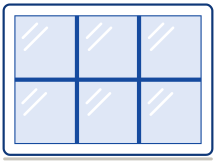
Drawing of fixed glass with one divider across and two up
Dividers across and up

Fixed glass

Width and height in inches, with dividers across and up — or pick one of 11 designs: panes side by side, one above the other, or a grid.

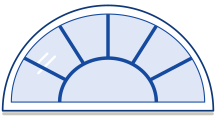
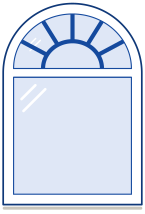
Drawing of a half circle arch window with a fan of dividers and an inner arc
Half circle
Drawing of a tall arch window with two uprights and a bar across
Tall
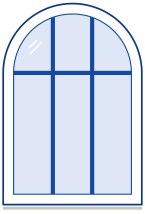
Drawing of an arch on a box: an arched top over a rectangle of glass
Arch on a box

Arches

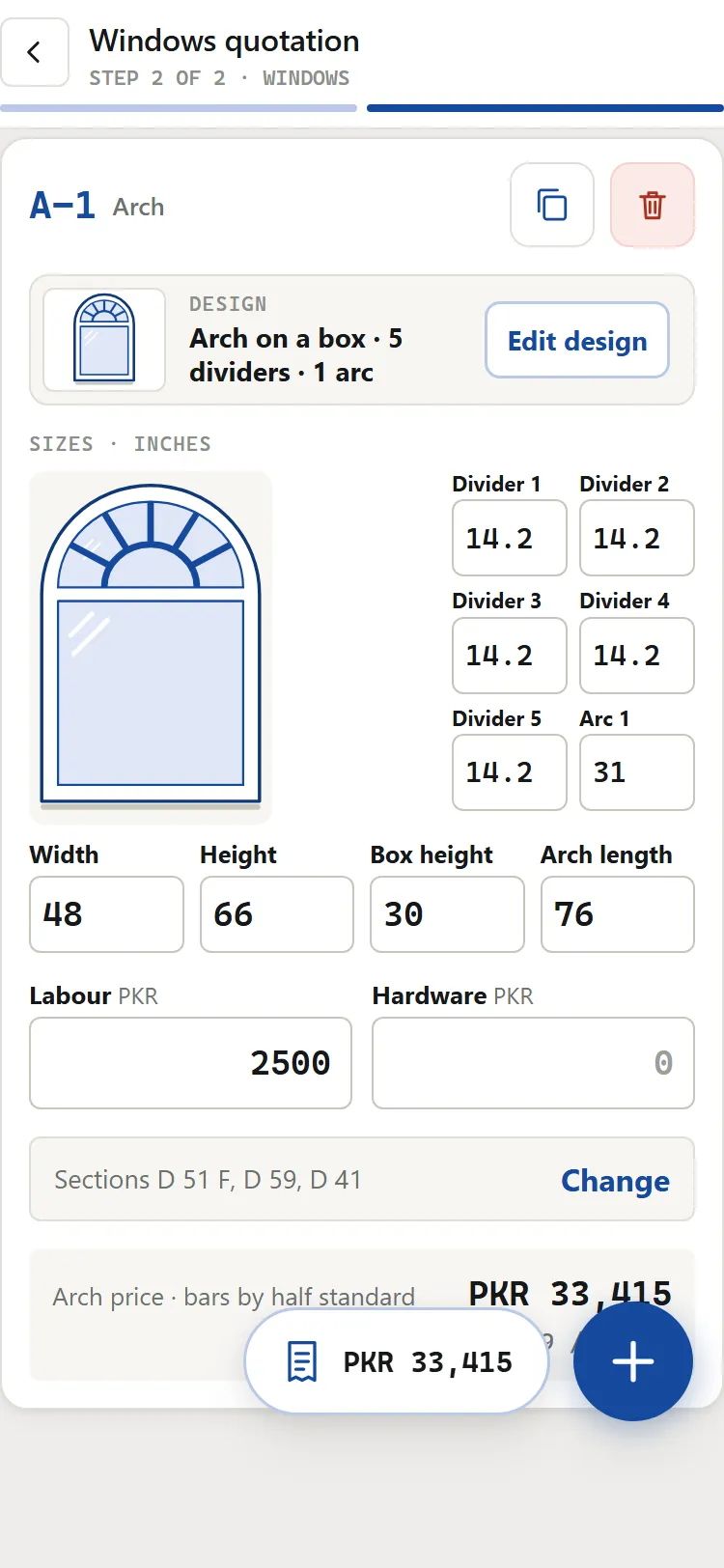
A half circle, a tall arch, or an arch on a box — 38 designs. Add a fan of dividers and inner arcs, or uprights and bars across. You type each length; the picture shows the design and lights the length you are typing.

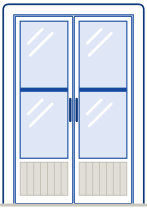
Drawing of a double glass door with a kick plate
Between walls
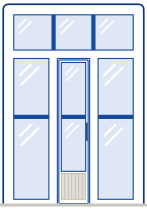
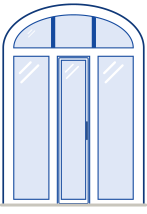
Drawing of a door with fixed glass above it and on both sides
With fixed panels
Drawing of a door with fixed glass either side and an arch over all three, with two straight dividers in the arch
With an arch

Doors

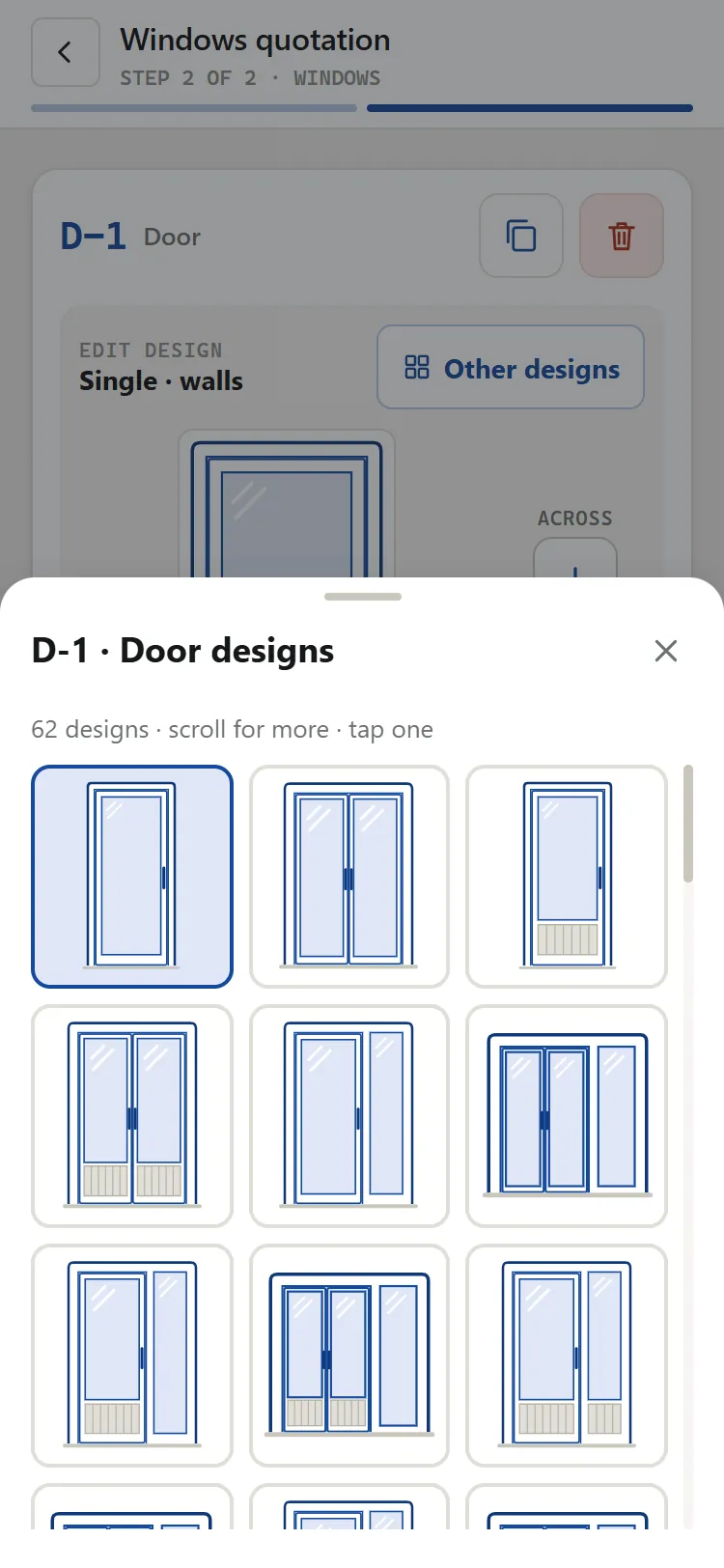
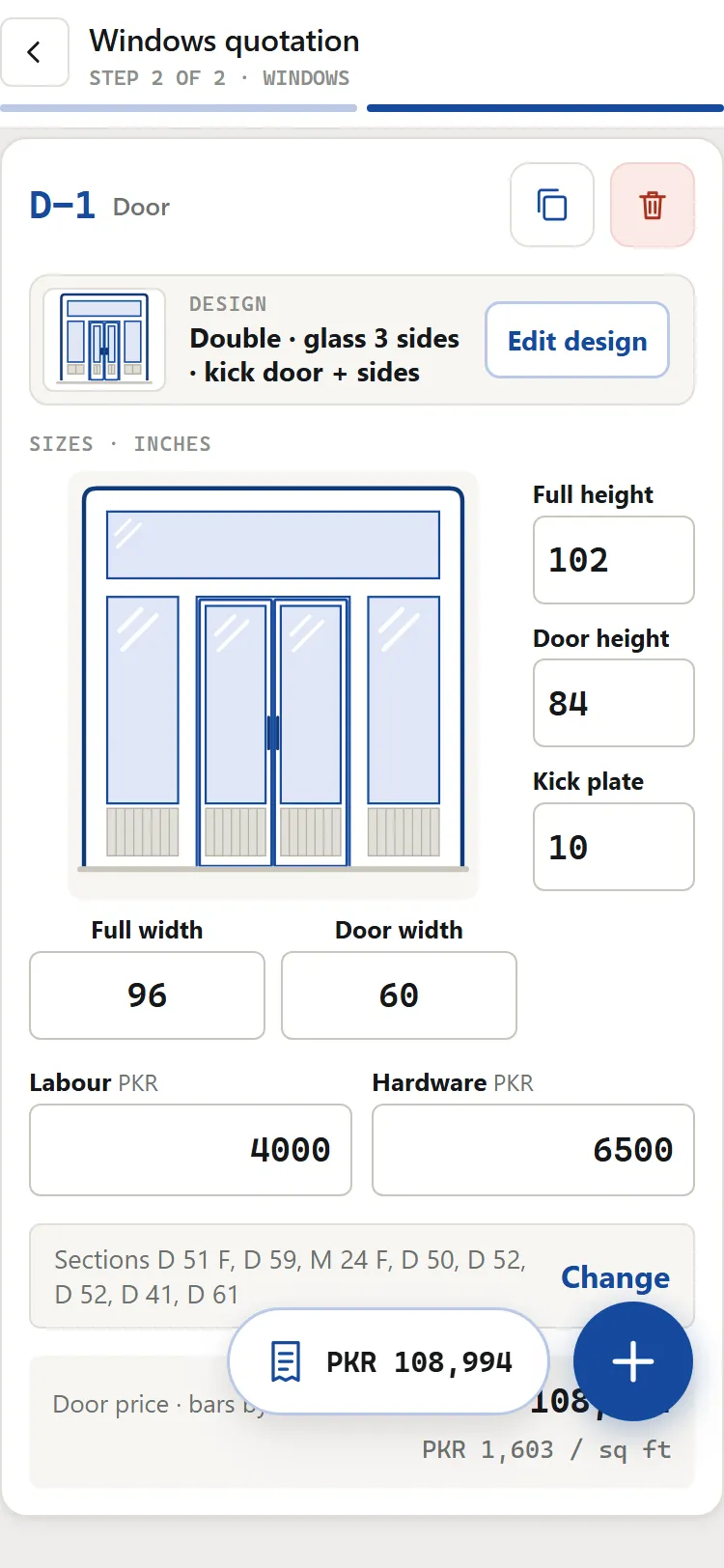
Single or double, the handle on the side you choose, with or without a kick plate. Between walls, with fixed glass above, to the left or to the right — or under an arch: over the door and both panes, over the door alone, or with the door rising into it. 62 door designs in all.

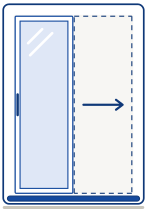
Drawing of a single slide door: one panel on one rail, in a frame twice its width
One panel, one rail

Single slide doors

One panel sliding on one rail, with bars across if you want them. Type the door's width and height; the frame, the panel and the glass are priced from them.

Drawing of a kitchen cabinet: a pipe frame with three columns of doors, a handle on each
Three columns of doors

Kitchen cabinets

Say how many columns and how many doors in each — or open the grid, hold and drag between points to make a door, and drag its edges to resize it. Set each door's handle side.

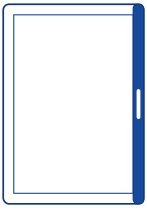
Drawing of a single door panel with no outer frame, its handle side marked
No outer frame

Panel only

Just the doors, for a kitchen or an openable frame you already have: height, width and how many.

  • How many, on every card. Six of the same window or door is one card.
  • Its own glass and aluminium. The job's glass and aluminium to start; any card can change its glass company and its aluminium company.
  • Its own bill. Each item is its own line, with its price and per sq ft — tap it in the detailed bill for its aluminium, hardware, glass and labour.
  • Labour and hardware in rupees, typed on each item.
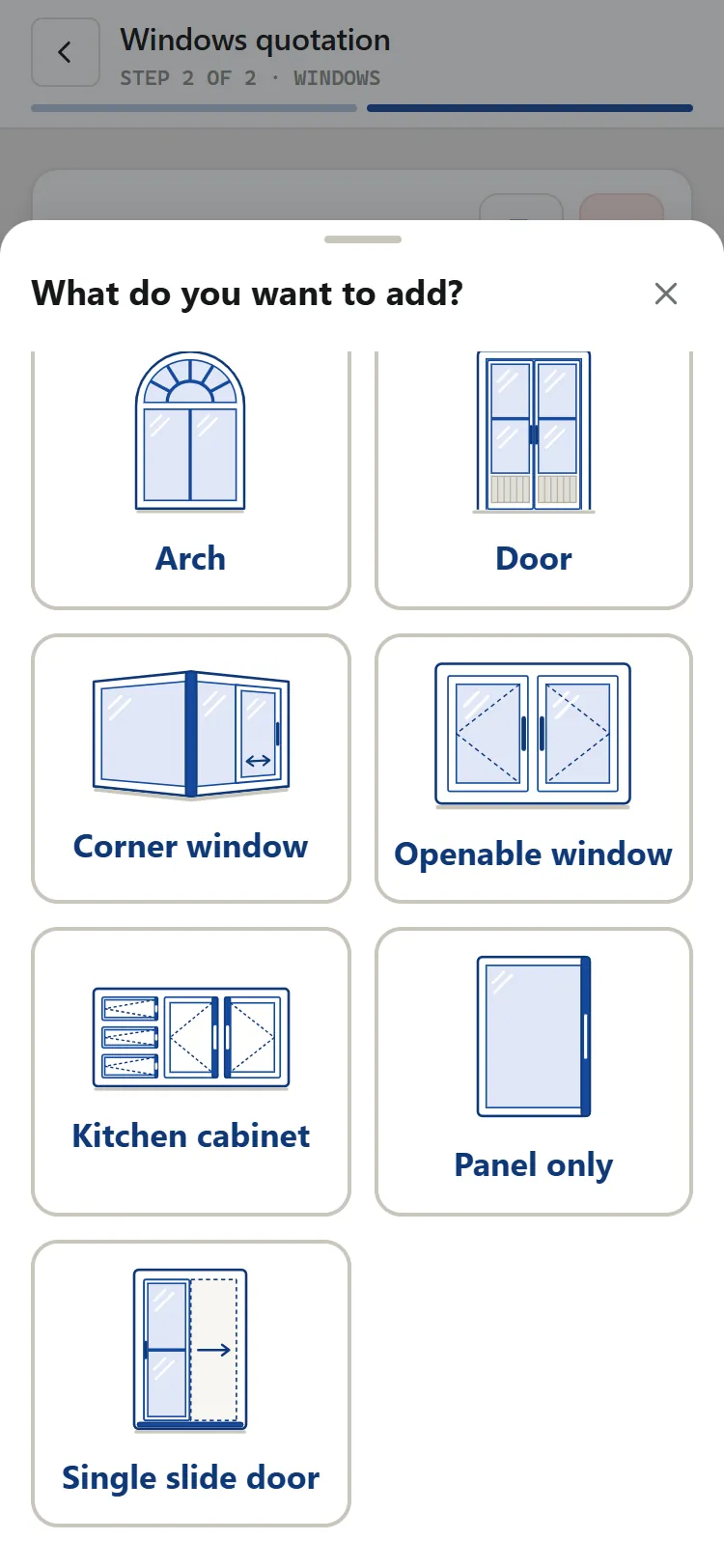
  • Adding to a windows quotation in the app: nine items, each with its own picture — Arch, Door, Corner window, Openable window, Kitchen cabinet, Panel only and Single slide door, with Window and Fixed above
    Add any of the nine items
  • The door design gallery in the app: 62 door designs drawn as pictures, tap one to use it
    62 door designs
  • An arch on a box in the app: the arch drawn with five dividers and an inner arc, each length typed in inches, labour and the arch price
    An arch on a box, each length typed
  • A double glass door priced in the app: fixed glass on three sides, kick plates, full and door sizes, labour, hardware and the door price
    A double door with glass on three sides

Material lists

The material list, the cutting list and the glass sheet — worked out.

Type the sizes and The Aluminium Pro works out the aluminium to buy, the hardware, the glass and what to cut, for every window, door and item on the quotation. Bill the windows' aluminium by actual size, half stand or full stand, whichever your shop charges by.

One order for the supplier

The aluminium and the hardware to buy, on one sheet with no money on it.

A cutting list for the workshop

What to cut for every item, and every piece left over, so less goes to waste.

A glass sheet for the cutter

Every pane to cut and the glass to buy, for the glass cutter.

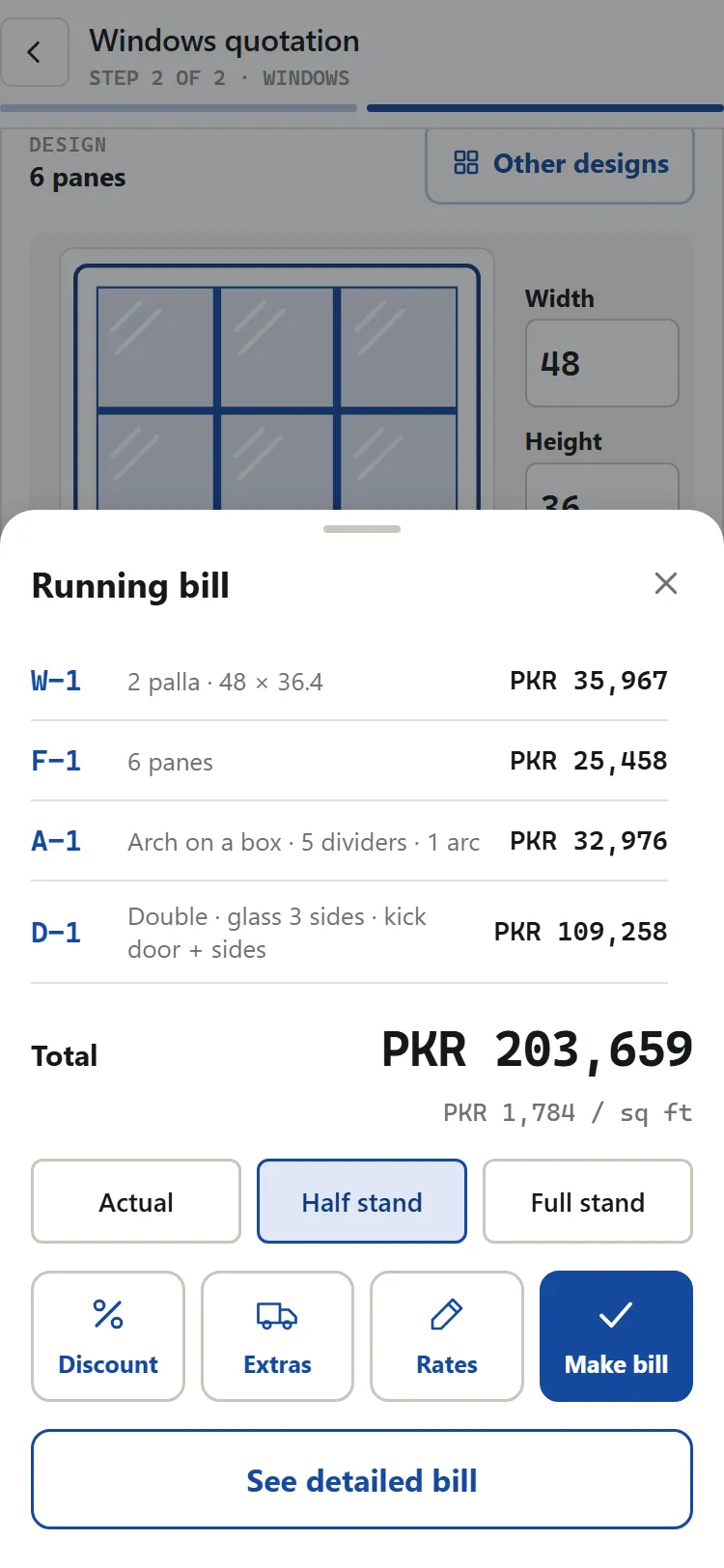
The running bill in the app: a window, fixed glass, an arch and a door with their prices, the total and the price per sq ft
The running bill: every item and the total

Window documents

Four PDFs for a window quotation — download or WhatsApp.

The customer gets the prices. The supplier, the workshop and the glass cutter get sizes — and no money. Download, print or share each one from the phone.

Customer quotation

Each window and item with its price and per sq ft, the discounts and the total, and a large drawing of every design. Your section rates and your own discount stay hidden unless you tick them.

Material & hardware

The order: the bars and hardware to buy, and every piece left over after cutting. No money on it.

Cutting list

What to cut from each bar, each item's pieces, and the total waste. No money on it.

Glass cutting sheet

The panes of every item and the glass sheets to buy, for the glass cutter. No customer details and no money on it.

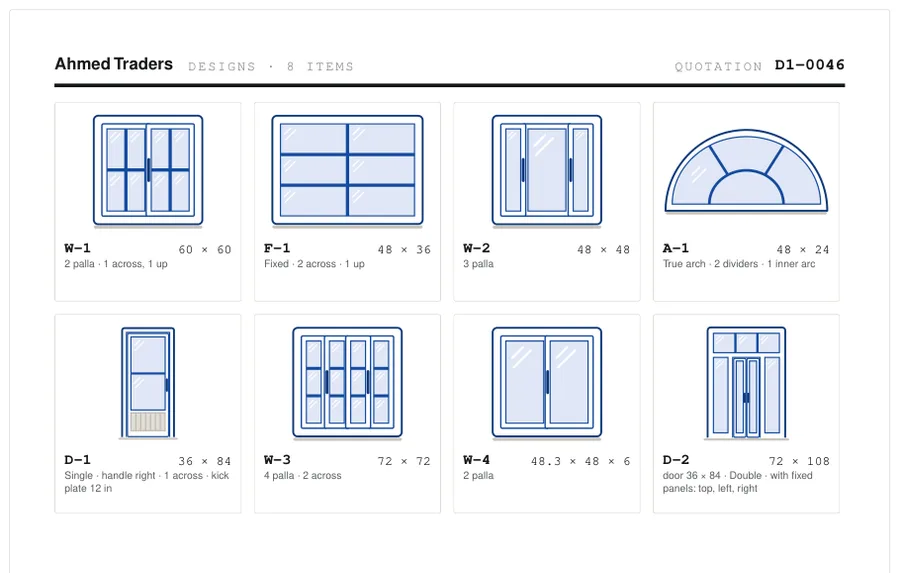
The designs page of a window quotation PDF: every window, fixed glass, arch and door drawn large with its size
The designs page: every item drawn large with its size.

Integrated multi-brand catalogs

Priced from the aluminium and glass rate list.

The rates you already buy at, the companies you already deal with, and the discounts you already give.

The rate list

Bar rates come from the supplier's published list, by section, colour and gauge: 0.9, 1.2, 1.6 and 2.0 mm. A new list reaches every phone, and you can open or download the list itself in Settings, even offline.

Aluminium companies

Chawla, Prime, Premium, Standard, Primax, Al Fatah, Diamond, Pak Almax, Falcon, Eagle, BT, Ittehad, Pak Altech, Super, Tiger, Sanopak, MCO and Shaheen. Pick the company, the gauge and the colour once for the job; each company gives you its own discount for each gauge.

Colours

Dull, Silver, H23/Champagne, Sahara/Brown, Black/Multi and Wood Coat — each priced from its column of the rate list (Silver and H23/Champagne share one).

Glass

Ghani Glass: the thickness, ref (reflective) or plain, and the colour, priced per sq ft. Another glass company? Ask on WhatsApp to have it added — until then type your own rate, and the quotation names the glass as Ghani.

Extras & Discount

One button for transport, silicone and extras with your own names, a discount on the aluminium in percent, and rupees off the whole bill. Give or change the discount after the quotation is made, too.

For this bill only

Change the glass, labour or hardware rates for one quotation. Your saved rates stay as they are.

For every job

The same on a shop front and a set of windows.

Works with no signal

Pricing, making the quotation, the PDFs and sharing all happen on the phone — make your first PDF with a connection. Your account picks up a copy whenever a connection returns.

Install it like an app

Add it to your home screen from the browser, on Android or iPhone. It opens full-screen from its own icon — nothing to download from a store.

All your phones, in step

Every phone signed in to your shop shows the same quotations, customers and payments. A change on one shows on the others as soon as they are online.

Customer list

Save a customer once and pick them for the next job. An old bill keeps the details it was made with.

Payments after the bill

Record each payment the customer makes. The Money screen shows what is billed, what is received and what is still owed.

Numbers that never clash

Every quotation gets its own number. Two phones never give the same one, and a number is never used twice.

Rates frozen per bill

A finished quotation keeps the rates it was priced on, so an old bill never changes under you.

Shop branding

Your shop name, address, phone and one photo or logo appear at the top of every customer document — compressed automatically so sharing stays fast.

WhatsApp or download

Send any PDF on WhatsApp the moment the quotation is made, or download and print it. The file is made on the phone, so after your first PDF it works with no signal too.

A video for each item

Settings → Video guides lists every item type, with a Watch button once its video is added; a card shows its own Watch link then too.

Pay by SadaPay or Easypaisa

Send the amount to the account shown in the app and upload the screenshot. Your package opens as soon as it is approved.

Referral credit

Share your code. When a shop you referred subscribes, credit lands on your account and comes off your next payable order.

Notifications

Subscription reminders, new rate lists and announcements arrive in the app — and as a push, once you allow it. Payment approvals show in the app.

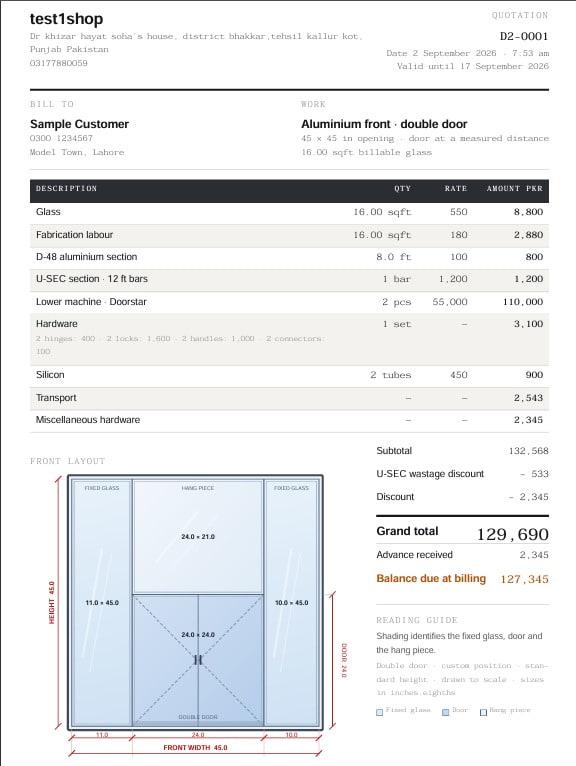
A customer bill produced by The Aluminium Pro: letterhead, priced table, front layout drawing and grand total

The paperwork

A bill a customer keeps, and sheets that never show your prices.

The customer's PDF carries your letterhead, the priced table, the drawing and the terms. The workshop, supplier and glass sheets carry only what each person needs: sizes and materials, never your money.

  • Frozen. A finalised bill keeps its number and the rates it was priced on; a later discount is saved as a new version.
  • Made on the phone. Every PDF is made on the device. Make your first PDF with a connection; after that, PDFs work with no signal.

Precision

Inches to the eighth, rupees to the whole number.

Sizes are typed on the app's own number pad in eighths of an inch, the way they are called out on site — 96.4 means 96 and four eighths. Money is in whole rupees, so a total never disagrees with the lines above it.

  • Optional U SEC wastage discount at 50% or 100%, if you offer it.
  • Advance and pending shown on the customer's PDF, not worked out later.

Start free trial

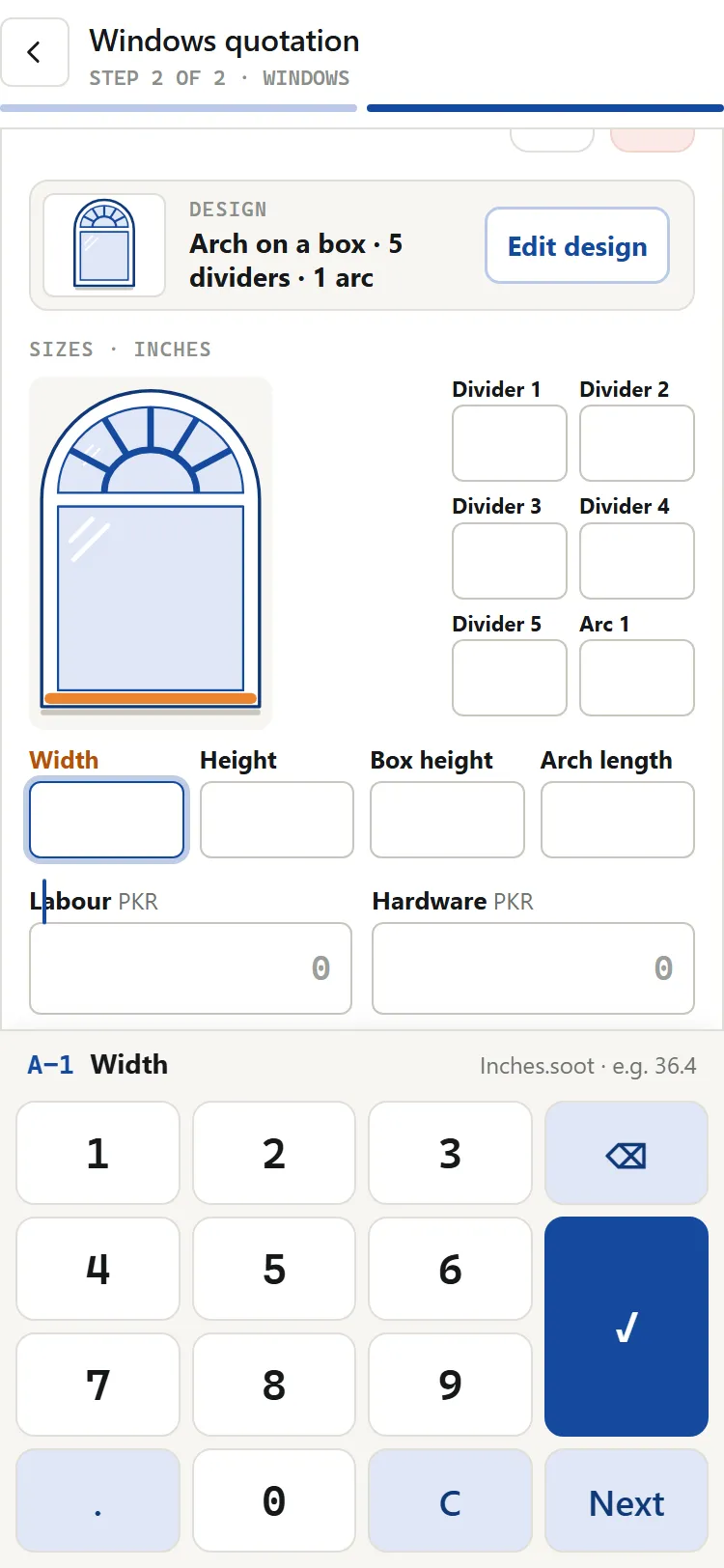
The app's own number pad open under an arch card, ready for the width in inches
The app's own number pad

Questions and answers

Questions about what The Aluminium Pro prices.

Which items can I price with The Aluminium Pro?

The Aluminium Pro prices 12 mm glass shop fronts, sliding windows of 2, 3 or 4 palla, corner windows, openable windows, fixed glass, arches, doors, single slide doors, kitchen cabinets and panels on their own. Everything except the shop front can go on one quotation, each item with its own price, price per sq ft and quantity, picked from galleries of 130+ designs.

Can The Aluminium Pro price corner windows, openable windows and kitchen cabinets?

Yes, The Aluminium Pro prices corner windows (around one corner or two), openable windows (columns of opening panels), kitchen cabinets, single slide doors and panels on their own. Each has its own gallery of designs and goes on the same quotation as your windows, with its own price.

Can I add doors, arches and fixed glass to a window quotation?

Yes, The Aluminium Pro puts doors, arches and fixed glass on the same quotation as the windows, each with its own price and price per sq ft. Doors can be single or double, with a kick plate, with fixed glass around them or under an arch; arches can be a half circle, a tall arch or an arch on a box.

Which documents does The Aluminium Pro make?

The Aluminium Pro makes four PDFs for every quotation: the customer’s quotation, the material list for the supplier, the cutting list for the workshop and a glass sheet for the glass cutter. Only the customer’s document shows money; a window quotation also draws every design large, and a shop front’s papers carry a to-scale drawing of the front.

Can I add a discount, transport and extras?

Yes, The Aluminium Pro takes a discount on the aluminium in percent and rupees off the whole bill, before or after the quotation is made. Transport, silicone and extras go on the bill under your own names.

Can I use my own rates?

Yes, The Aluminium Pro lets you set your own glass, labour and hardware rates, and change them for one quotation only. Bar rates come from the built-in rate list, and a finished quotation keeps the rates it was priced on, so changing a rate never rewrites an old bill.
Every question, answered →

WhatsApp